
Multibox on agar.im: control two cells and switch with Tab
On agar.im, members play two cells from one account and swap control with Tab. It is a built-in option of the rooms with Dual, so you need no extension, script, second tab or second account.
- Tabswitches between your cells
- Membersplaying their saved nick
- 5 minuntil auto-off without a switch
- 60 sbefore you can turn it on again
- 100 %of the players may play Dual
- 2.5 suntil a fallen half returns
What multibox means here
Multibox means steering more than one cell at the same time.
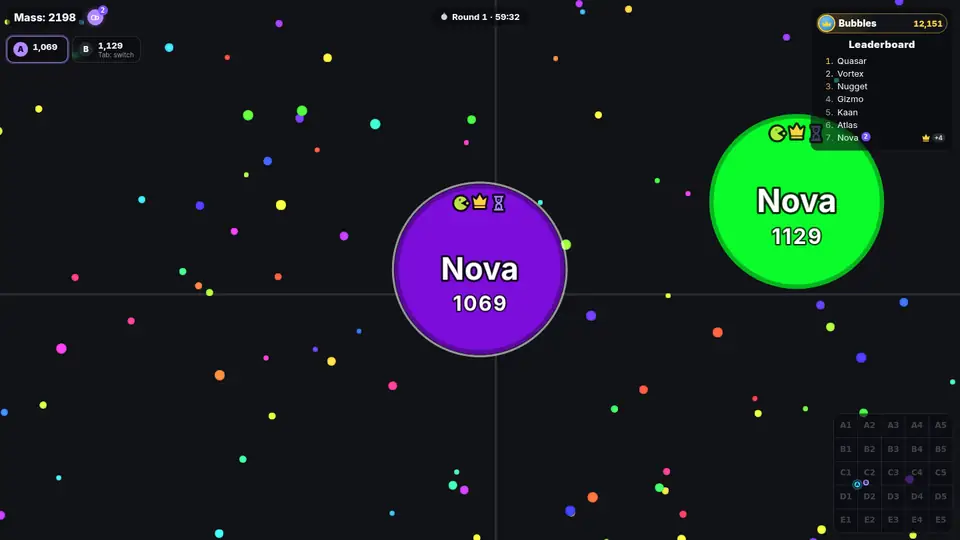
On agar.im this is part of the game: in a room with Dual, a member adds a second cell (B) next to the first one (A) and moves control between the two with one key.
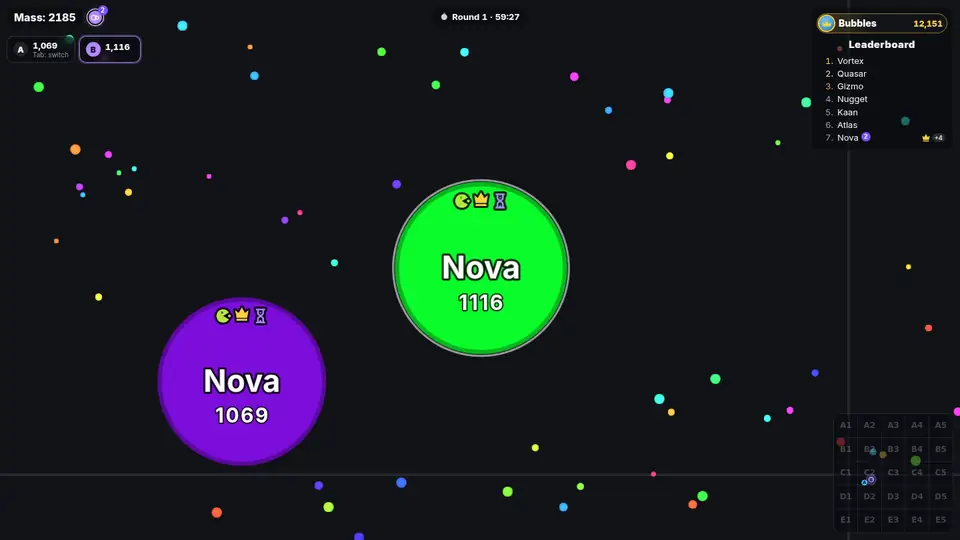
Only the half you control follows your mouse, splits and ejects. The other half waits where you leave it. The same rules apply to every member in the room.
- No extension or script needed
- No second tab
- No second account
- Same rules for every member
How to turn it on
Four steps, all inside the game.
- 1Sign in and save a nick
Dual is for members. Sign in with Google or Discord, save a nick and play with that saved nick.
- 2Join a room with Dual
The FFA card in the menu shows Dual on when a room offers it. Choose that room in the server list.
- 3Turn on your second cell
Tick Start with Dual in the menu, or press the round Dual button in the top-left corner while you play. B appears at a safe spot of its own.
- 4Switch with Tab
Press Tab to move control between A and B. On a phone the third touch button becomes the switch button.
How two cells play
One key, two halves: what happens on the map.
B joins the round
Turning Dual on adds B with the base start mass. Turning it off removes B together with its mass.
Tab moves control
Mouse, split and eject act only on the half you control. The other half never splits or ejects with it.
TabB comes to you once
When Dual turns on (or a fallen half returns), it walks over and stops beside you. After that it stays where you leave it: you place it yourself.
Feed your other half
Blobs you eject into your other half arrive with their full mass. It stays in your record, which then gets the Dual label; it never counts toward the XP gate.
W
Controls
| Key or button | What it does |
|---|---|
| Tab | Switch control between A and B |
| Round Dual button (top left) | Turn Dual on or off |
| Third touch button | Switch between A and B on a phone |
| Your own key | Dual on / off (no key is set by default) |
Two cells in motion
A short loop: one half moves, Tab, the other half takes over.
Tactics for two cells
Two halves give you moves a single cell does not have.
- Feed the hunting half
Eject from the safe half into the hunting half with W. The hunter grows faster and can split onto bigger targets.
- Use one half as bait
Park the small half near a rival. When the rival goes for it, switch and split with the big half.
- Trap a rival between your halves
Come from two sides: whichever way the rival runs, one of your halves is waiting.
- Park the idle half safely
Leave the idle half away from viruses and big cells before you switch.
- Grow both halves
Some quests count the mass of both cells in Dual. Two healthy halves finish them faster.
- Switch before it turns off
Dual turns off after 5 min without a switch, with a warning 30 s before. One press of Tab keeps it on.
The rules of Dual
From the live settings of the room with Dual.
- 100 %
At most this share of the players in a room can play Dual at the same time (always at least one).
- 5 min
Without a switch, Dual turns itself off after this time.
- 60 s
After Dual is turned off, you wait this long before you can turn it on again.
- 3×
Dual can be turned on at most this often per life. B cannot be turned off in its first 3 s or while something can eat it.
- 2.5 s
While you keep playing, a fallen half comes back after this time.
- 2
Players per network in this room. B counts as one, so a pair needs two free places.
- One pair per account in a room.
- Mass your halves pass to each other stays in the record but labels it Dual; it never counts toward the XP gate.
- The leaderboard and the round podium show the bigger of your two cells.
- Your halves can eat each other completely, the last piece too: that half drops out and you keep playing the other.
Questions about multibox
Do I need an extension or a script?
No. Two cells with Tab are part of the game; there is nothing to install.
Do I need a second account or a second tab?
No. One account in one tab controls both cells.
Can guests play with two cells?
No. Dual is for members playing their saved nick. Sign in with Google or Discord and save a nick to use it.
Does it work on a phone?
Yes. Turn it on with the round Dual button; the third touch button switches between your cells.
Can I change the Tab key?
Yes, in Settings → Controls. You can also set your own key to turn Dual on and off.
Which rooms have Dual?
FFA rooms that offer it: the FFA card in the menu then shows Dual on. It is never on in the Arena, in battle royale or in party rooms.
What happens when one half is eaten?
The other half plays on. While you keep playing, the fallen half comes back after 2.5 s.
Read more
Try two cells now
Sign in, join a room with Dual and press Tab.