
How to play agar.im
Move with the mouse, eat anything at least 1.25× smaller than you and run from anything bigger. Space splits, W ejects mass. Every number on this page comes from the game server.
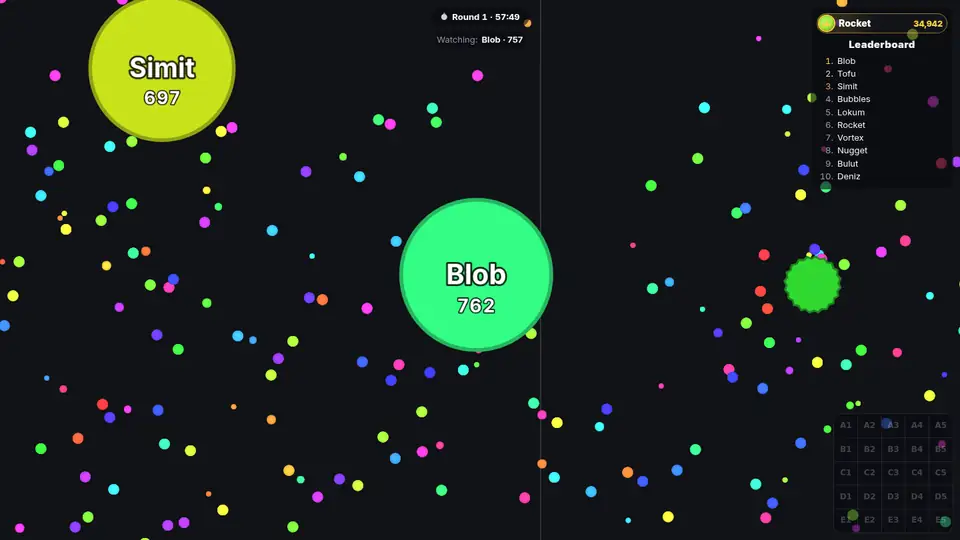
- 1.25×bigger to eat a cell
- 36start mass
- 16pieces at most
- 30 s +until pieces merge
- 120players per room, max
- 60 minone round (FFA)
The basics in six pictures
Your cell follows the cursor (on a phone: the joystick). These six rules are the whole game:
Move and eat
Eat pellets and cells at least 1.25× smaller than you: your cell must cover most of the target. Anything that much bigger eats you.
MouseJoystickSplit
Space launches half of every piece forward; Q splits twice, R three times, Ctrl straight into 16 pieces. Use it to catch a target that cannot escape.
SpaceQRCtrlEject mass
W shoots one blob of 16 mass (it costs you 12); hold E to feed fast. Feed a teammate, bait a rival or feed a virus.
WEViruses pop big cells
Touch a green spiky virus while you are bigger than it and you burst into up to 16 pieces. While small, hide behind one.
Shoot a virus
Feed a virus 7 times and it shoots a new virus the way you fed it, straight into the rival behind it (in FFA).
WMerge back
Pieces merge on their own after 30 s plus a little more for big pieces. There is no merge key: wait, and stay away from bigger cells meanwhile.
Merge timer
Every piece waits 30 s plus 2 s for each 100 units of its radius (radius = 10 × √mass). Big pieces wait longer:
| Piece mass | Radius | Merges after |
|---|---|---|
| 100 | 100 | 32 s |
| 1,000 | 316 | 36.3 s |
| 10,000 | 1,000 | 50 s |
| 50,000 | 2,236 | 74.7 s |
Speed and mass
The bigger the cell, the slower it moves. That is why small cells can escape and big ones need to split to catch them.
Mass decay
Big cells slowly lose mass, so nobody stays on top forever.
- Above 500 mass
You lose 0.21 % of your mass every second: at 10,000 mass about 21 per second.
- Above 25,000 mass
Decay runs 4× faster. Holding a giant cell costs a lot of food.
- Mass cap
One player holds at most 100,000 mass, one piece at most 50,000.
Keyboard controls
The default keys of the game (on a phone, the touch buttons below do the same).
| Key | Action |
|---|---|
| Mouse | Movement |
| Space | Split |
| Q | Double split |
| R | Triple split |
| Ctrl | Quad split (16) |
| W | Eject one blob |
| E | Rapid feed (hold) |
| Tab | Switch cell (Dual) |
| not set | Dual on / off |
| Enter | Chat |
| C | Share position |
| H | Show / hide chat |
| O | Online players |
| P | Pause |
| Esc | Menu |
| ~ (key left of 1) | Quick respawn |
| not set | Self-destruct |
Playing on a phone
The touch layout as the game shows it (portrait; landscape works too). Hold any button for 8 seconds to drag it wherever you like. Sizes and the other options are in Settings → Controls.
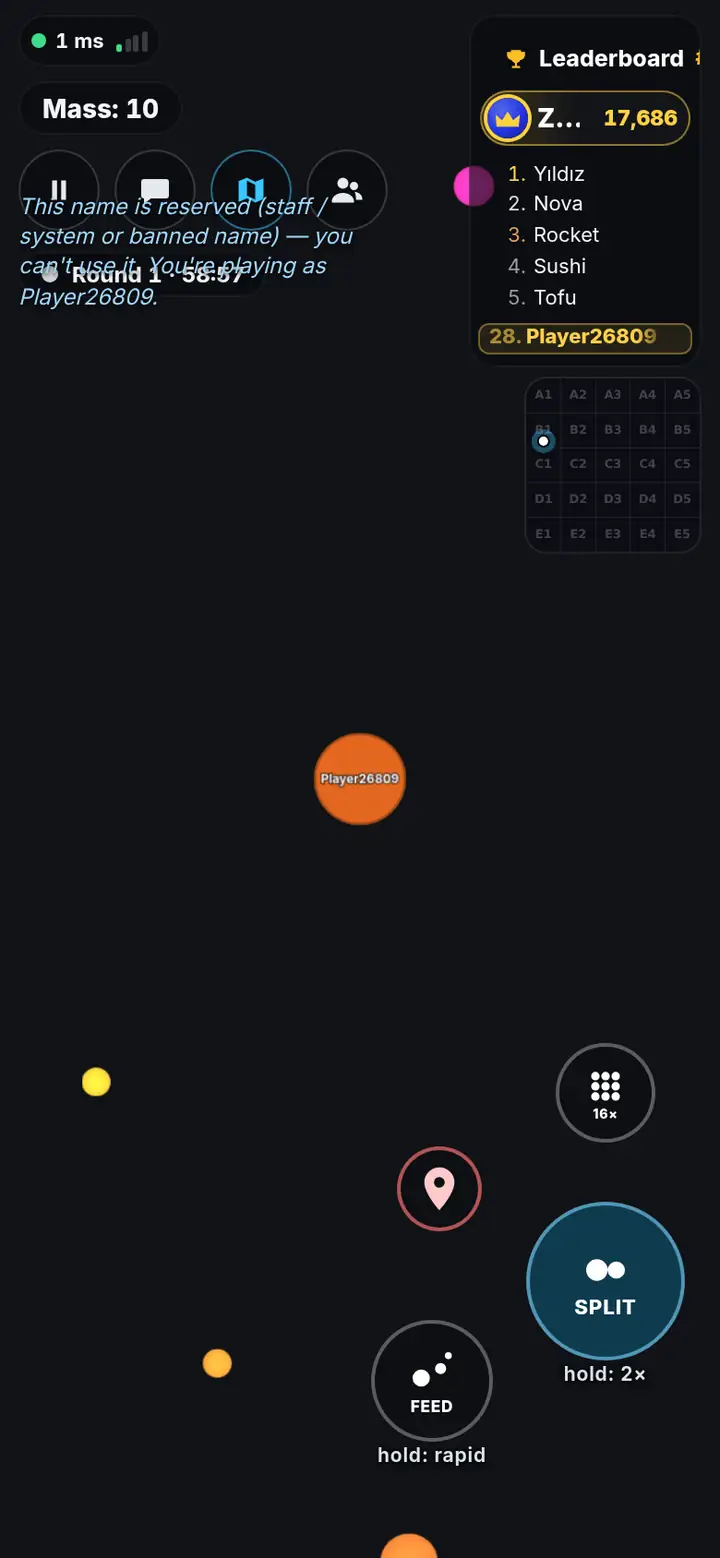
- Touch anywhere on the left to steer: the joystick appears under your thumb. How far your cell keeps going after you lift your thumb is set by “Keep going on release” in Settings (off, 5 s, 10 s, unlimited).
- Split; hold it for a double split.
- Eject mass; hold it to feed fast.
- Third button: 16× split (in Dual: switch cell).
- Share your position in the chat.
- Top row: pause, chat, minimap and online players; the leaderboard is on the right. In landscape the chat button sits in the bottom-left corner.
Rounds, XP and levels
Playing as a guest needs nothing. Signed-in members also collect progress:
- Rounds
Rooms play rounds (60 min in FFA); the biggest cell at the end is the round champion.
Compare the modes → - XP and levels
A real run (alive 60 s, gained 1,000 mass) gives up to 300 XP. Level 999 is the top.
How XP works → - Quests
3 daily and 5 weekly quests per nick, with stars for weekly chests.
Quests → - Clans
From level 10 you can found a clan; members earn clan points in a monthly season.
Clan points →
Sounds and radio
Listen to live radio while you play: 148 stations in 8 languages.
- Pick a station
Tap the radio button (in the menu’s top bar, among the round buttons in the game) and choose a station; it starts only when you press play. The radio has its own volume, apart from the game sounds.
- One tab at a time
The radio plays in one agar.im tab only. In another tab it stays quiet; press “Play here” to move it there.
- Turn it off
Press stop to end it. To hide the radio completely, switch off “Radio” in Settings → Sound.
More guides
Short guides to every part of the game.
- Tactics guide
Split-kills, viruses, feeding and merge timing, from first steps to advanced play.
- Multibox guide
Multibox means steering more than one cell at the same time.
- Levels and titles
How XP, levels, quests, chests and the monthly season titles work.
- Arena guide
Ranked 1v1 and 2v2 matches: queue, rules, rating and results.
- Skins and nicknames
Registering a nick, the name rules, clan tags, skin packs and your own skins.
- Voice chat guide
Call friends from Messages, push-to-talk, privacy and quick fixes for your microphone.
- Clan guide
Find or found a clan, join rules and invites, clan levels, clan chat and the monthly season.
- agar.live alternative
Coming from agar.live? Start here with your clan in four steps.
Ready to try it?
No download, no account needed: type a nick and play.